Iqra Saifi
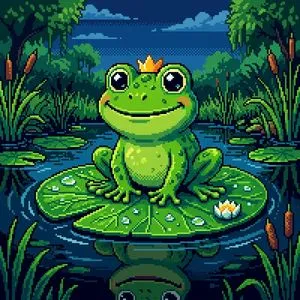
Pixelated Cartoon Animal Image
A cartoonish ({argument name="animal name" default="Animal Name"}) in pixelated image format
Browse 13 community-created prompts with real results.
A cartoonish ({argument name="animal name" default="Animal Name"}) in pixelated image format
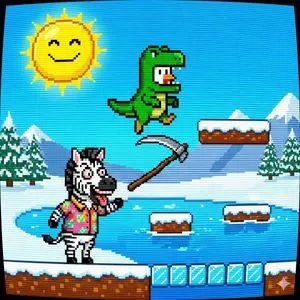
a chicken in a T-Rex costume's on the way of homecoming in the style of an 8-bits #11
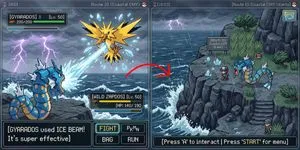
create a screenshot of the overworld for this game in the same area, with one pokemon following the player, fit the vibe of the reference
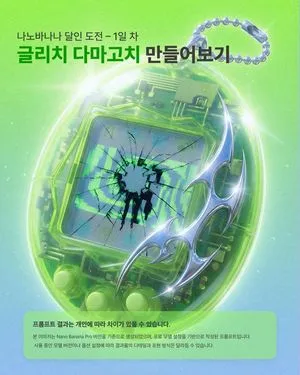
Glitch Tamagotchi, 1990s, broken screen, corrupted text, low resolution, 8bit, CRT monitor, vaporwave, out of focus, distorted, noise, static, scan lines, bad quality, low quality, bad anatomy, bad hands, missing fingers, extra digit, fewer digits, cropped, worst quality, low quality, normal quality, jpeg artifacts, signature, watermark, username, blurry, artist name, (text: {argument name="corrupted text" default="NANO BANANA"})
[NES Final Specification/Complete Version: BG-Only Algorithm Execution Type Dot Art Conversion Prompt] Convert this image into BG dot art specifications for the Family Computer (NES) hardware, strictly executing the following mathematical and logical steps, without limiting the subject matter. The purpose of this prompt is to satisfy the constraints required for BG to function on actual NES hardware. Aesthetic-only NES-style expression is prohibited. Use only the BG layer; sprites are strictly prohibited. ──────────────────────── [Prerequisites (NES BG Implementation Rules)] ──────────────────────── - Output Resolution: 256 × 240 pixels - Layer Used: NES BG only - Sprite usage prohibited - Transparency processing is not performed - Index 0 of each palette is treated as the NES universal background color - Index 0 is common to all palettes - The color with the largest coverage area on the entire screen is assigned as the universal background color - Color number 0 can also be used as a normal drawing color ──────────────────────── [Step 1: Geometric Image Processing (Protagonist Priority, No Deformation Cropping)] ──────────────────────── 1. Set the conversion size to 256 × 240 pixels 2. Always maintain the aspect ratio of the original image - Scale up or down until the shorter side fits the conversion size - Stretching the image is strictly prohibited 3. Automatically detect the protagonist (person, animal, building, etc.) in the image, and adjust the crop position so that the protagonist is maximally contained within the frame 4. If the protagonist cannot be detected, crop based on the center of the screen ──────────────────────── [Step 2: Tile Decomposition and Attribute Block Definition (NES Compliant)] ──────────────────────── 1. Divide the image into 8×8 pixel tiles 2. Treat 2×2 tiles (16×16 pixels) as 1 attribute block 3. Subsequent palette constraints and color constraints must be applied per attribute block ──────────────────────── [Step 3: Attribute Block Unit Palette Clustering (Maximum 4)] ──────────────────────── 1. Analyze the color distribution within each 16×16 attribute block 2. Cluster all attribute blocks by color distribution similarity, classifying them into a maximum of 4 groups 3. If the hue (blue, green, etc.) is clearly different from other areas, treat it as an independent group whenever possible 4. However, the NES BG sub-palettes are limited to a maximum of 4. Prioritize the protagonist area, and areas of low importance may be integrated into similar colors ──────────────────────── [Step 4: NES BG Palette Generation (4 colors × 4 sets)] ──────────────────────── 1. Index 0 (Universal Background Color) - Calculate the color with the largest coverage area on the entire screen, and assign it to Index 0, common to all palettes 2. Index 1–3 (Unique Colors) - For each sub-palette, select 3 colors that represent the 'light part,' 'mid-tone,' and 'dark part' of that attribute group - Colors extremely close in hue or brightness to Index 0 are prohibited ──────────────────────── [NES Color Palette Constraints (Hardware Compliant, NTSC)] ──────────────────────── - Available colors are strictly limited to the 54 NES hardware-compliant NTSC palette colors listed below - Palette generation, color selection, and quantization must always be performed from this 54-color set - Generation of new colors, RGB interpolation, or use of continuous values is prohibited - The following color set contains exactly 54 colors NES NTSC usable palette (54 colors, hex RGB) 000000,1D2B53,7E2553,#008751,AB5236,5F574F, C2C3C7,FFF1E8,FF004D,FFA300,FFEC27,00E436, 29ADFF,83769C,FF77A8,FFCCAA,291814,111D35, 422136,125359,742F29,49333B,A28879,F3EF7D, BE2633,E06F8B,E0A872,B2DCEF,4F6781,8E478C, A3CE27,44891A,2A4F3E,6D758D,9D9D9D,FFFFFF, 4B692F,6A6A6A,8F563B,C2C3C7,DF7126,D95763, D77BBA,FBF236,99E550,6ABE30,37946E,5FCDE4, CBDBFC,ADB5BD,EEC39A,696A6A ──────────────────────── [Step 5: CHR Pattern Compression (BG 256 Tile Limit)] ──────────────────────── 1. Calculate the number of unique 8×8 tile patterns used across the entire image 2. Limit the number of unique tiles to not exceed 256 types 3. For large areas like backgrounds, sky, or walls, repeatedly use completely identical dot patterns to minimize the number of tile types 4. Tiles with slight differences may be integrated using the following methods: - Readjustment of dither placement - Replacement of intermediate colors - Requantization within the attribute block ──────────────────────── [Step 6: Dithering (NES 4-Color Constraint Support)] ──────────────────────── 1. Use only the 4 assigned colors within each attribute block 2. To express pseudo-gradation, apply the following dither
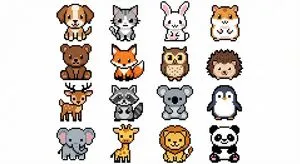
Cute, colorful animals in a pixel art style, arranged in a 4x4 grid. White background.
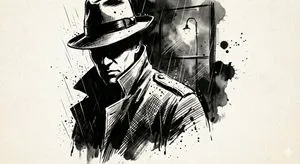
A high-contrast ink noir portrait of {argument name="subject" default="[SUBJECT]"}, illustrated entirely with expressive black ink strokes and controlled splatter. Heavy shadows dominate the composition while selective highlights emerge through negative space. Subtle paper grain is visible. Atmosphere is moody, cinematic, and intense, like a graphic novel frozen at its most dramatic panel.
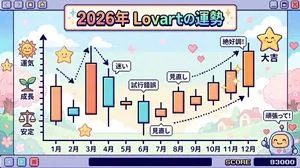
Make the entire background Super Famicom pixel art, and the theme is “The Fortune of {argument name="theme" default="Lovart"} in 2026” visualized as a candlestick chart with the horizontal axis representing January to December. Thoroughly elaborate the details in Japanese. Express it brightly and cutely.
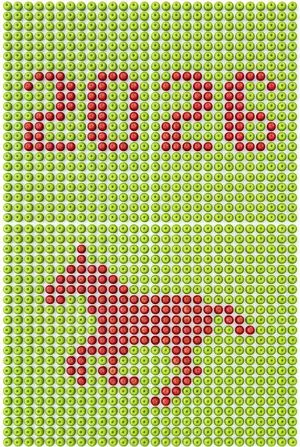
# Scene and World Professional top-down flat-lay photography, strictly 90-degree vertical overhead God's perspective; Pure white background; Studio soft lighting, uniform and clear light, no shadows, no vignetting # Focus and Order Absolute Subject: A grid matrix formed by tightly and neatly arranged [{argument name="background item" default="fresh yellow lemons"}] (the background item), filling the entire frame; Grid Specification: {argument name="grid columns" default="27"} columns horizontally, and several rows vertically, forming a complete matrix; Form of Expression: Using [{argument name="contrast item" default="green limes"}] (the contrast item) with stark color contrast embedded to form a clear pixel art pattern; Visual Logic: The upper half of the frame is the pixelated "{argument name="text content" default="2026"}" formed by the contrast item, and the lower half is the pixelated silhouette of the {argument name="graphic content" default="running horse"} formed by the contrast item; Arrangement Constraint: All objects are exactly the same size, uniformly oriented (stems pointing the same way), tightly and seamlessly fitted together, absolutely no blank areas allowed # Form and Structure Upper composition: Pixelated "{text content}" using the contrast item, employing a monospace font where each character occupies the same number of columns; Lower composition: Pixelated silhouette of the {graphic content} using the contrast item; Perfect overhead 90-degree flat-lay perspective, camera lens axis strictly perpendicular to the ground; Every object is whole, objects at the edge of the frame are not cropped, presenting a neat grid array; Pixel art pattern is clearly discernible, edges are sharp; Dense grid layout of {grid columns} columns × multiple rows, objects tightly filled, no gaps whatsoever # Material and Language Main Material: Real [{background item}] (smooth surface, natural reflection, fine texture, all objects uniformly oriented); Contrast Material: Real [{contrast item}] (full color, fine surface texture, real details, all objects uniformly oriented); Background: Pure white plane; All objects are uniform in size, shape, and orientation, with no size differences or deformation # Source of Tension Natural objects transformed into digital pixel art; Combination of traditional still life photography and modern pixel patterns; Strong color contrast between [{background item}] and [{contrast item}] creates clear pattern recognition; 8K quality, high resolution, commercial advertising photography style; Objects are absolutely regular in arrangement, pixel pattern is highly readable # Technical Constraints (Ensuring Stability) - Strictly 90-degree overhead angle, no perspective distortion - Objects at the edge of the frame must be complete, not cropped - The diameter of every object must be exactly the same, as if made from the same mold - All objects must be uniformly oriented, stems or tops pointing consistently - Clear grid structure: {grid columns} columns horizontally, and corresponding rows vertically, forming a strict rectangular grid - Grid arrangement must be neat, aligned horizontally and vertically, with each cell the same size - Objects must be tightly and seamlessly joined, absolutely no blank areas or gaps allowed - Edges of the pixel pattern must be sharp and crisp - Light is uniform, no local overexposure or underexposure - Each character uses a monospace pixel font, all characters occupy the same number of columns - Each object acts as one pixel unit, must be exactly the same size and uniformly oriented
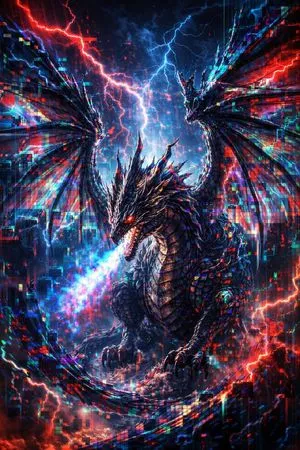
legendary dragon emerging from glitch storm, pixel sorting distortion, RGB color split, fragmented wings, epic cinematic atmosphere, highly detailed
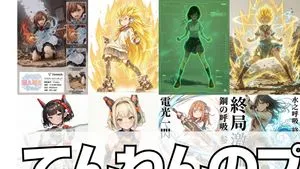
1. Scouter Prompt Overlays a Scouter-style UI onto the reference image and infers and displays the combat power based on the character's features. 2. Super Transformation Prompt Maintains the character features from the reference image and changes the pose to an 'Awakening Pose' to 'Super Transform' them. 'Super Transformation' can be selected from Form 1 to Form 3, as well as God Form, Blue Form, Extreme Form, and Rose Form. 3. Field Deployment Prompt Changes the character in the reference image to a pose with hands extended forward and deploys a field. 4. Retro RPG Status Screen Prompt A prompt that converts the character in the reference image into pixel art and generates an image styled like a retro RPG status screen. 5. Desktop Mascot Prompt A prompt that generates an image of the character from the reference image turned into a desktop mascot and placed on a PC screen. 6. Style Change Only on Torn Parts Prompt Adds a tearing effect without changing the reference image itself, allowing the art style of only the torn part to be freely switched to line art, ink painting, figure style, colored pencil, watercolor, pencil drawing, etc. 7. Art Style Conversion Prompt A prompt created by modifying the 'Style Change Only on Torn Parts Prompt' to change the overall art style. 8. Super Robot Wars Battle Sequence Prompt A prompt that generates an image styled like a Super Robot Wars battle sequence from the reference image. 9. Power Release Prompt A prompt that reproduces the depiction of a spherical energy space destroying an object. 10. Participation Screen Prompt A prompt that generates a 'Participation Screen' for the character in the reference image. 11. Total Concentration Prompt Maintains the character from the reference image and infers and depicts 'Weapon, Breathing Style, Form, and Move Name' from the character's atmosphere and stance. 12. Kamehameha Style Prompt A prompt that can stably generate the charging pose and activation pose of 'Kamehameha.' 13. Figure Transformation + Product Introduction Layout Prompt A prompt that transforms the character in the reference image into a figure and lays it out in a product introduction style. 14. Final Flash Style Prompt Converts the character in the reference image into the activation, charging, and firing poses of 'Final Flash.' Dialogue and sound effects can be added to each. 15. New Profile Image Generation Prompt Generates the character from the reference image in an arbitrary aspect ratio and places an arbitrary string as a logo in an arbitrary position. 16. Plastic Model Package Prompt Generates an image styled like a 'Plastic Model Package' by placing the reference image on the front and side. 17. Eraser Gun Style Prompt The character in the reference image emits an Eraser Gun-style energy wave from their mouth. 18. Ragged Transformation Prompt A prompt that transforms the character in the reference image into 'rags.'
Please use Image 1 as the base map to generate a pixel map for RPG Maker production. Embellish the image details and replace the forest tile materials and overall style with a more dark fantasy style (art style reference: "{argument name="reference game" default="Elden Ring"}" / "{argument name="reference game 2" default="Dark Souls"}"). Do not enlarge, shrink, or stretch the generated map; please leave any extra areas blank.
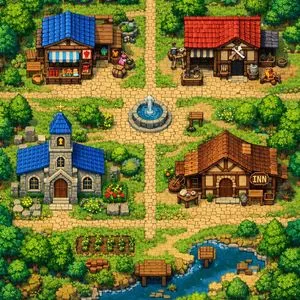
For a 90° overhead view 2D game, draw a village map. The village includes an item shop, weapon shop, church, and inn. Imagine a pixel art style.